menu

Unlock the Pro Video Downloader

iiiii
iiiii
4.9, 2 K+ Ratings
pro video downloader

Save exclusive K-pop content from Weverse to watch offline anytime.

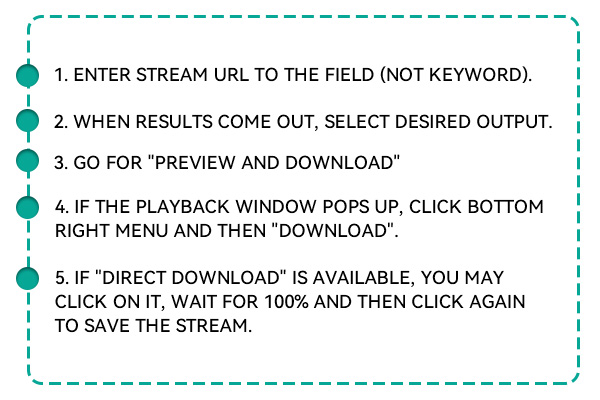
  • Go to the Weverse app or website and find the video you want to save. Copy the video link directly from the browser or app.
  • Head over to the Weverse Video Downloader and paste the copied link into the input box provided on the homepage.
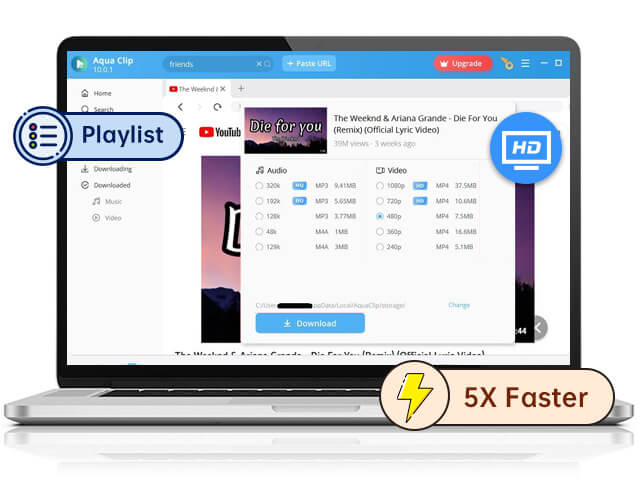
  • Choose your preferred video format and quality. Then, click the download button to save the video to your device.
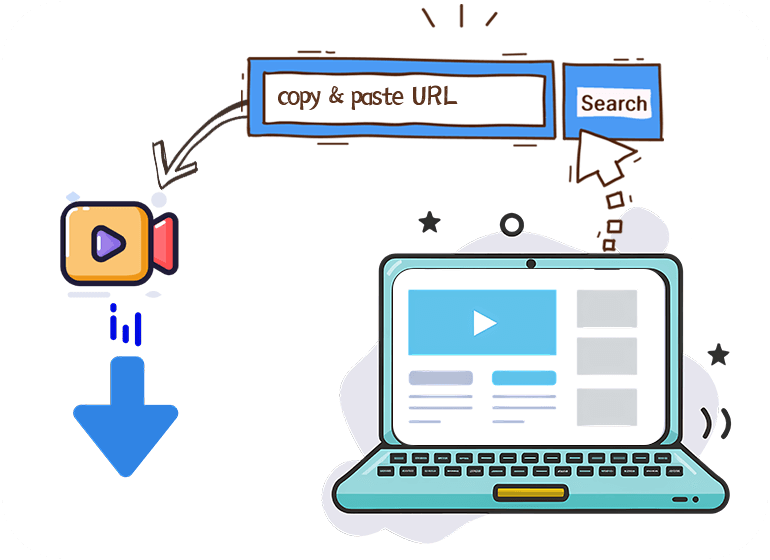
copy paste to download video

>

Top Features of Our Weverse Video Downloader

Seamless Link-to-Download Functionality

Weverse Video Downloader makes saving content effortless. Copy and paste the video link, and the tool instantly fetches the video. There's no need to sign in or install extra software. Everything happens on one page, fast and without confusion. Whether downloading a quick artist update or a long fan stream, the tool responds quickly. It reads Weverse links accurately and doesn't freeze or time out. No broken links, no frustrating loading screens. The download process works cleanly every time. This tool is built for simplicity. Users don't need any technical knowledge to use it. Turning a video link into a saved file takes less than a minute, a major win for fans who want content on the go. With no unnecessary steps, this downloader focuses on what matters. It doesn't distract users or slow them down. It gets the job done quickly and accurately, making it one of the most user-friendly options.

Maintains Full Video Quality

All downloaded videos keep the same resolution as the original. The file looks sharp and clean, whether 480p or full HD. There's no drop in picture quality or audio. Everything stays in sync, from frame to sound. This is especially useful for artist live streams, fan events, or concept teasers. The videos remain clear and colorful, just like they appear on Weverse. That level of detail matters to fans who want a perfect offline copy. Unlike many other downloaders, there's no forced compression here. Users can keep high-quality content without worrying about distorted visuals or audio. It's great for archiving special moments in their best format. Even longer videos are downloaded with full resolution preserved. There's no blurry playback or missing pieces. Every second of the video stays crisp, so users enjoy the full experience, even without internet.

No Ads, No Distractions

The app is 100% free from pop-ups, banners, or fake download buttons. Users get a clean interface and can focus on downloading, not dodging ads. It's safe, fast, and hassle-free every time, which makes a big difference for people used to messy sites. There are no misleading clicks or dangerous links—just the download box, the link, and one button to get your video.The simple layout works well on both desktop and mobile. Even new users will find it easy to navigate. Everything is laid out clearly, with no guesswork or delays. No distractions also mean faster downloads. The tool loads quickly and doesn't waste time on junk content. Users can grab what they want and get back to watching without interruption.

Get Weverse Videos Quickly

Ad-Free Experience

Unlike many downloaders, the Weverse Video Downloader is free of pop-ups and ads. There are no unwanted interruptions or misleading buttons to click. The tool provides a clean, distraction-free environment, making the download process smooth. You can focus solely on downloading your favorite videos without hassle.

Fast and Efficient Download Speed

Nobody enjoys waiting around for a video to download, which is why this tool is built for speed. The Weverse Video Downloader quickly processes your video link and gets things moving right away. It cuts down on delays, so your content is ready in seconds. Whether it's a quick update or a full livestream, downloads stay fast and efficient.

Beginner Friendly Interface

The Weverse Video Downloader was designed for ease of use. It's simple enough for anyone, whether you're tech-savvy or not. The interface is clear and easy to navigate, with no confusing steps. You'll find everything you need to download your videos within seconds.

Why Choose Our Weverse Video Downloader?

Save, Share, and Enjoy – Download Weverse Videos Effortlessly!
Effortless Video Downloading in Just a Few Clicks
Our Weverse Video Downloader was designed with simplicity in mind. You don't need to navigate complicated steps or deal with unnecessary software installations. Users can instantly access their preferred content by simply pasting the Weverse video link and begin downloading. It's a hassle-free, fast process that anyone can manage in just a few moments.
High-Definition Quality Without Compromise
When downloading from Weverse, quality matters—whether it's a high-energy concert, a special behind-the-scenes video, or an exclusive fan update. Our tool ensures that videos are saved in their original resolution, whether 480p, 720p, or full 1080p HD. There's no degradation in video or audio quality during the download process, giving users the full, crisp viewing experience they expect, even offline.
Completely Ad-Free Experience
We understand how frustrating ads and pop-ups can be when you want to download a video. Our Weverse Video Downloader is completely free from ads and distractions. You won't be interrupted by unnecessary windows or misleading buttons. This clean, ad-free interface ensures that users can quickly access what they want—download videos without any confusion or time wasted.
Accessible and User-Friendly Interface for All
Even if you're not a tech expert, our downloader is designed to be easy and intuitive. The tool has a simple interface that doesn't require you to be familiar with technical jargon. You must paste the video link, choose your desired quality, and hit download. It's fast, effective, and requires no special skills—just a few clicks, your video is ready to watch offline.

Frequently Asked Questions

How can I download Weverse videos to watch offline?

To download Weverse videos, copy the link from the Weverse app or website. Then, paste the copied link into the provided input box on the Weverse Video Downloader page. Once you paste the link, you can choose your preferred video format and quality (e.g., 480p, 720p, or 1080p). After selecting your options, click the download button, and the video will be saved to your device for offline viewing.

Is it safe to use the Weverse Video Downloader?

Yes, the Weverse Video Downloader is completely safe to use. The tool is built with security in mind and requires no software downloads or personal information. It operates without ads or pop-ups, ensuring a clean, secure experience. Since it's an online tool, there are no risks associated with installing third-party software or dealing with unknown downloads.

What video formats can I download from Weverse?

With the Weverse Video Downloader, you can download videos in the most common and widely supported formats, such as MP4. This format ensures smooth playback across smartphones, tablets, or computers. You can also choose your preferred video quality—480p for standard definition or higher resolutions like 720p or 1080p for crisp HD visuals. This flexibility allows you to choose the right quality and file size balance.

Do I need an account to download Weverse videos?

No, you don't need to create an account to use the Weverse Video Downloader. The tool is free and doesn't require registration, so there's no need to log in or sign up. Paste the video link you want to download and start immediately. This makes the downloader quick and accessible for everyone, with no personal information or account management needed.

Can I download live streams from Weverse?

You can download live streams from Weverse using the Weverse Video Downloader. Whether it's a live concert, a fan meet, or an artist's broadcast, this tool allows you to save these moments for offline viewing. Paste the live stream link into the downloader, select your desired format and resolution, and hit download. This feature makes it easy to preserve live events and relive them anytime, even without an internet connection.

Back to Top
Contact Us