menu

How to Clean Up Photo Online Free

  • Start to upload your image with the messy background. You can use the button on its main page to import the photo.
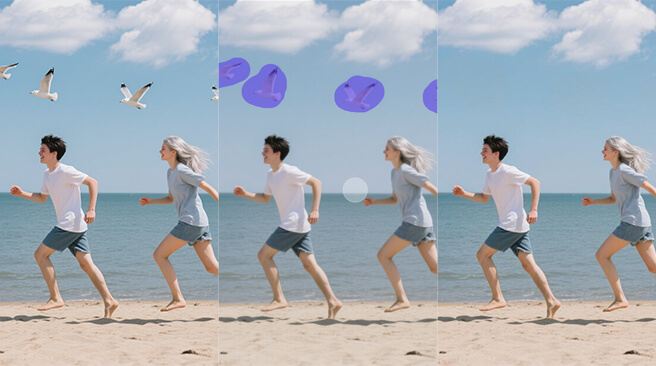
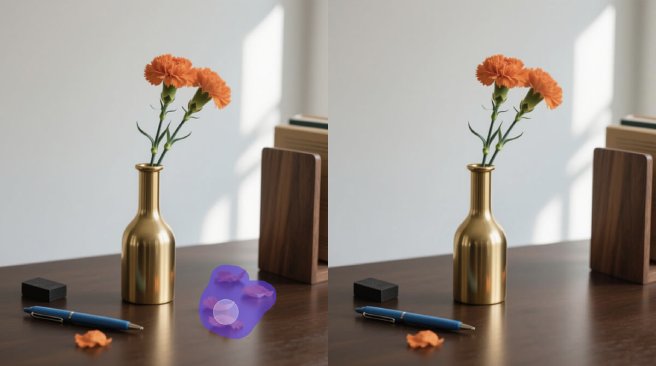
  • Next, adjust the brush size on the brush slider and start highlighting the object you want to remove from the image.
  • Then, click the "Clean" button, and the tool will start removing the highlighted objects. Lastly, you can download the result by clicking the "Download" button.

Best Features of Our Cleanup Photo Online Free Tool

Quickly Clean Messy Photos

If your photo has clutter, extra people, or objects you didn't intend to capture, this tool can quickly fix it. With this clean up photo online tool, you can tidy up your image in just a few clicks, with no editing skills required. It's a quick and simple way to make your pictures look cleaner and more focused.

You also don't have to waste time using complicated software. Whether it's for a social post or a personal album, this tool helps you get sharp, clean photos in seconds. It's all about saving time and still getting great results.

Erase Any Unwanted Objects

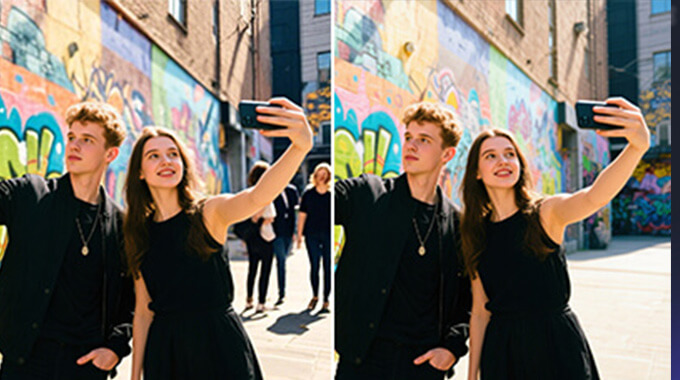
Do you have something in your photo that doesn't belong? Our tool makes it super easy to remove object from photo online. Whether it's a random person in the background, a sign, or a shadow. Just highlight the object, and the AI fills in the area naturally, so it looks like it was never there.

This also gives you more control over your images without needing advanced editing. It's perfect when you want a clean shot without distractions, whether for work or personal use.

Smooth Background Repair

Get a smooth and natural-looking background after the cleanup pictures! Our tool seamlessly blends the background, so your photo still looks realistic. You don't see strange patches or blurry spots.

It's especially helpful for fixing busy areas or removing text and marks. With just a few adjustments, you'll have a clean, seamless photo that's ready to share or save.

Find Out What Makes It Special

Brush Slider Available
Use the slider to change the brush size for greater precision while cleaning. With that, you can highlight small spots or larger areas, which helps you stay precise.
Zoom and Preview Options
Zoom in on your photo to clean up even the tiniest details. Plus, with preview mode, you’ll see the changes in real time, so no surprises when you’re done.
Safe and Private Uploads
Your photos stay private while you use the tool. They aren’t saved, shared, or stored; everything is processed securely. So you can clean up your images with peace of mind.
Mobile-Friendly Interface
You don’t need a computer to edit your photo. The tool works well on both mobile phones and tablets. Everything fits your screen and is easy to tap and use. That means you can clean up your images at any time, anywhere.

FAQs about Cleanup Images

What does a cleanup image do?

A cleanup image tool helps you fix photos by removing unwanted things like people, objects, or marks. It clears up distractions so your photo looks cleaner and more focused. It’s perfect for making your pictures look just the way you want.

How long does a cleanup image take?

With our tool, it usually takes just a few seconds to clean up your image. But if you have a lot of objects to remove, it might take a little longer. Either way, it’s still much faster than editing by hand.

Can I remove objects from a photo without losing quality?

Yes! Our tool is designed to keep your photo looking clear and sharp, even after removing things. You’ll get a clean result without compromising image quality.

Is there a limit to how many images I can clean?

Right now, you can clean up to 3 images per day. We’re working on improving that, so stay tuned for updates. We want to give you more freedom to edit as often as you need.

How does the brush tool work for cleaning images?

The brush tool lets you highlight the part of the photo you want to erase. You can adjust the brush size to suit small spots or large areas. Once you mark it, the tool takes care of the cleanup for you.

Will it work for portraits, objects, and landscapes?

Yes, it works well with all kinds of photos! Whether it’s a close-up of a face, a picture of your pet, or a wide outdoor scene, the tool handles it. Just upload your image and let the cleanup begin.

Back to Top
Contact Us