menu

Top Features of Our Online WebP Converter Tool

Quick and Flexible WebP Uploading

The process of uploading your WebP files is easy and versatile, and allows multiple input forms. It is also possible to drag and drop pictures into the tool, access your local files on the device, or paste the link to the image in the form of a WebP image hosted online. Whether you are transferring graphics from your hard drive or pulling images from the web, the process is smooth. Images of the WebP format can immediately be converted into a different one, e.g., JPG, PNG, or PDF; there are no downloads or add-ons. It is as easy as just uploading, selecting your format, and converting within seconds.

Universal Compatibility Across Devices and Browsers

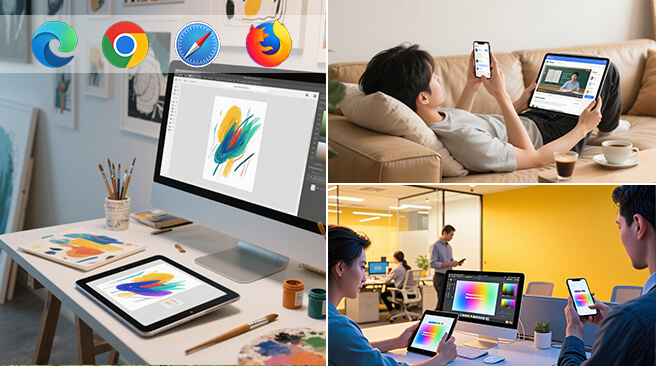
Our free WebP converter will also work perfectly well on your most updated browsers, such as Chrome, Safari, Firefox, Edge, and Opera. It works with many platforms--Windows, macOS, Android, iOS--so you can work on your images using a laptop, tablet, or phone. It customizes to any screen display and works well on older or less powerful devices to maintain a smooth and consistent experience each use.

Secure and Private by Design

Each stage of the conversion process is constructed to protect your privacy. None of our files are stored or shared, as they are automatically removed soon after processing. No obnoxious advertising nagging, no third-party tracking, no sneaky scripts accumulating your data. Seeing that all conversions are carried out straight in your browser, you have no chance of malware or unwanted installations. It is a secure option both as an everyday and a workplace option.

How to Convert WebP Image Files

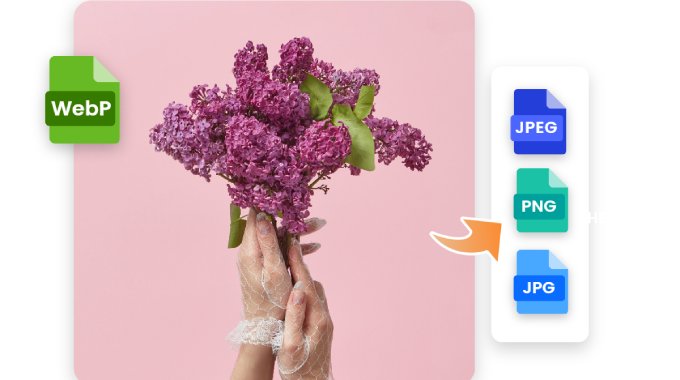
WebP is a Google-offered modern image format, which has high-quality images at reduced file sizes, and it supports image compression, transparency, and animation. It is excellent on the web, but not always supported and as such often has to be converted. Our free online WebP converter allows you to either upload a file or paste an image URL, select JPG, PNG, or GIF, convert in seconds. No software, sign-up or technical know-how- requires, merely rapid, safe and painless conversion from any device.

  • Step 1. Drag or click the button with the name of your image to select your image by clicking the "Choose your file" button. File size should be less than 20MB.
  • Step 2. Once your upload is done, you will be given a list of options under which format you need in BMP. Next, hit Select Format to make sure the auto-conversion process is done.
  • Step 3. A download button will appear at the end of the conversion. With one click you can have the new BMP file downloaded to your computer and then share it, edit it, or view it.

Get BMP Image Converted Quickly

Quick and Secure BMP to Conversion

Conversion of BMP images can be done without hassles or complex procedures using our tool. Converting a high-resolution BMP into a more web-friendly JPG or an image file set into PDF format to document it, the resulting output remains sharp and detailed. Experiencing issues with distorted colors, omitted data, or corrupted files is unnecessary. It works perfectly with scanned images, graphics, and photo file clusters.

Supports Various Image Formats

The converter allows switching between popular image file formats, such as JPG, PNG, TIFF, PDF, and WEBP. Regardless of using the tool to make BMPs smaller to share more quickly or as files to work with in a design app, it does two things immediately: it can tell what format you typed and provide relevant output choices. This flexibility suits casual users and professionals in terms of flexibility with formats.

No sign-up required, 100% Free.

The BMP converter is free to enjoy and does not require any account or personal information. It is free to use and does not charge any hidden fees or time restrictions. Visit the site, upload your file, and convert it as many times as needed. It is straightforward to use, even for users with no prior experience.

Why Use Our Online WebP Converter?

Rapid, Easy Format Conversion
Smart Format Recognition
You do not have to specify the input type manually because the tool will automatically detect WebP files when uploaded. This makes it quicker and easier to use, particularly when many files are being processed or one switches formats. It also reduces the possibility of making mistakes and only displays the formats that can work with your input.
No Sign Up or Registration Required
Unlike most online WebP converters, this free app doesn't require you to sign up or register to start using it. Just visit the webpage and upload your files to converter. None personal data is needed and your privacy are always guaranteed.
Optimized Compression Without Quality Loss
Our WebP converter is designed to strike a balance between image size and image clarity. It employs smart compression algorithms that decrease the size of the image without altering its quality. This is particularly useful when saving space, accelerating loading times, or rolling files to be loaded onto the web. You obtain lightweight files that have clear detail and dense color integrity.
Access from Any Device, Anytime
The converter does not require one to install any software or applications. It is a fully web-based solution that can be used on all internet-enabled devices, including desktops, laptops, smartphones, and tablets. Its responsive interface adapts to any window size, and it can convert an image even when you are not at the computer.

Frequently Asked Questions

What formats can I convert WebP images into using this free tool?

Yes, the converter is fully web-based and works smoothly on any device with an internet browser. Whether you're using an Android phone, iPhone, tablet, or desktop computer, there's no need to install additional apps—just open the website and start converting images instantly.

Can I use the converter on a smartphone or tablet?

Yes, the WebP converter works fully even on mobile gadgets and tablets. No need to install an app; simply open the tool in your browser, upload your WebP picture, and convert it instantly. Its interface is optimised, which implies that it can automatically adapt to smaller sizes without compromising performance. It supports both Android and iOS, allowing you to use it at home or on the move. The desktop version has all its features on mobile.

Is it free to use the converter?

The tool can indeed be used entirely free of charge at personal and regular levels. You are not required to register, sign in, or enter any personal information to convert WebP files. No hidden fee, subscription trap, or limits on small and medium-sized files. The free version offers high-quality and fast conversion, with no intrusive ads or watermarks. It is aimed at offering a very basic and consistent service without restriction.

Are there any file size or usage limitations?

The free version can convert single WebP files up to 100MB, which is far more than the average image size of an image and a project that you would use on a personal, educational, or web encounter. There is no limit to the daily conversion amount, but converting batch files, especially extremely large ones, may require an upgrade to a Pro plan. The free version is sufficient for common scenarios, such as converting images for use on the web, in emails, or documentation.

Will the quality of my image be affected after conversion?

No, the tool is designed to preserve image quality as much as possible up to the conversion. Although there are certain compressed formats (such as JPG), the system attempts to maintain the right file size and image clarity so that a user cannot see much difference between the original and the file. You will not experience issues like pixelation, color distortion, or blurred details. The files, when converted, can be used both professionally and casually. In case quality retention is an issue, all one needs to do is select a lossless output format such as PNG or TIFF.

Back to Top
Contact Us